Figure spec check

Check a figure against journal specs before you submit

Pick a target journal profile, then choose your figure. The check runs entirely in your browser: the file is never uploaded, no image is generated, no credits are spent and no account is needed. You get a line-by-line report of what the file actually contains, plus a separate list of the rules a browser cannot measure.

Journal-Spezifikationscheck

Ziehen Sie eine zur Einreichung vorgesehene Abbildung hierher und prüfen Sie sie gegen die öffentlichen Anforderungen des Zieljournals: Format, Pixel, Seitenverhältnis, Auflösung, Druckgröße.

Die gesamte Verarbeitung erfolgt in Ihrem Browser: Das Bild wird direkt auf dieser Seite dekodiert, nicht hochgeladen, nicht gespeichert und nicht an unsere Server gesendet. Unveröffentlichte oder gesperrte Abbildungen können bedenkenlos verwendet werden – nach dem Schließen des Tabs bleibt nichts zurück.

Bild hierher ziehen oder klicken zum Auswählen

Unterstützt PNG, JPEG, TIFF, WebP – wird lokal gelesen, nicht hochgeladen

这几项需要你自己确认

未做检查

以下几项浏览器无法从像素里测出,所以本页不做检查,也绝不会给出「通过」。请回到导出这张图的软件里逐项确认。

  • 最小字号

    期刊通常规定印刷尺寸下字号不小于 5–7 pt。要按图最终印出来的尺寸量,而不是按它在屏幕上显示的大小。

  • 线宽

    屏幕上看着正常的细线,印出来可能直接消失。多数规范要求最终尺寸下不细于约 0.25 pt。

  • 色彩模式(RGB 还是 CMYK)

    浏览器读不到文件的 ICC 意图,RGB 和 CMYK 在这里看不出任何区别。若期刊按 CMYK 印刷,请到导出设置里核对。

  • 字体是否嵌入

    只与矢量稿(PDF、EPS、AI)有关。字体没有嵌入,会在出版方那边被替换,所有标签随之错位。

  • 灰度打印后是否仍可分辨

    如果这张图可能被黑白印刷,请确认去掉颜色后各类别仍能区分——靠明度、纹理或直接标注。

这些数字的来源

取自出版方自己的作者须知。规格会变——投稿前请点开链接,对照最新版本再确认一次。

尺寸
Minimum 1328 × 531 px; keep the same 500:200 ratio for larger images
分辨率
Minimum 300 dpi
备注
Preferred files include TIFF, EPS, PDF, or MS Office; avoid unnecessary whitespace.
Elsevier graphical abstract guide

Multiple AI models

GPT Image 2, Nano Banana, Seedream 5, Flux 2 Pro and more — pick the right one per figure.

Up to 4K export

Render at 1K, 2K or 4K for print-ready manuscript output.

Text & sketch to figure

Start from a prompt, or refine a rough hand-drawn sketch.

Free to start

Free account in seconds — every figure is saved to your private history.

Figure spec check

What the report looks like

Screenshots of the checker itself, not generated artwork. The values shown come from one example file; your own report depends on the file you choose and the profile you select.

How the check works

Measured facts first, unmeasurable rules kept separate

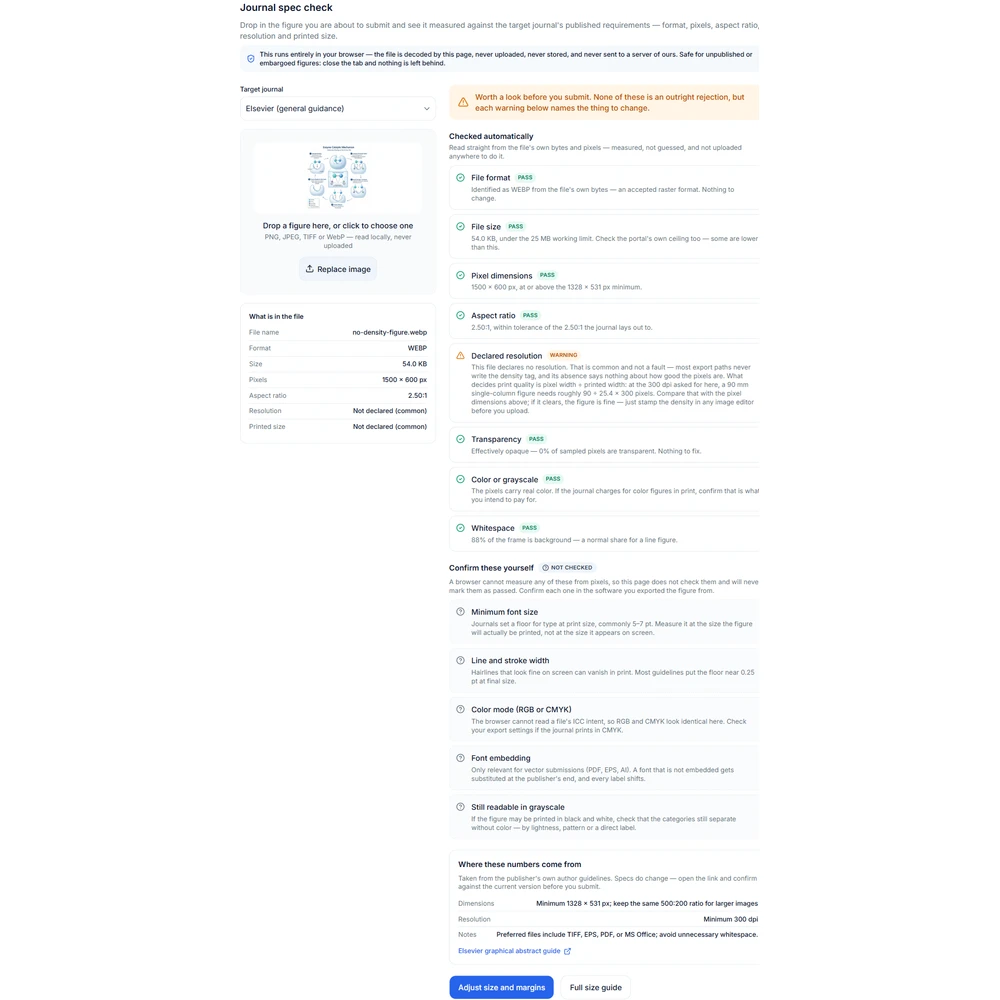
Figure spec check report showing warnings on resolution and aspect ratio1

What the browser can actually measure

The file is read as bytes and decoded locally. Pixel dimensions, aspect ratio and file size are exact. The format comes from the leading bytes rather than the filename, so a PNG renamed to .tif is still reported as a PNG. Color and transparency are answered statistically from a downsampled copy, which is enough for a yes-or-no question and keeps a very large file from filling a browser tab.

  • Pixel width and height, and the aspect ratio they imply
  • File format read from the leading bytes, not the extension
  • File size against a soft submission-portal ceiling
  • Declared resolution, and the physical size derived from it
  • Whether any pixels are transparent
  • Whether the artwork is effectively grayscale
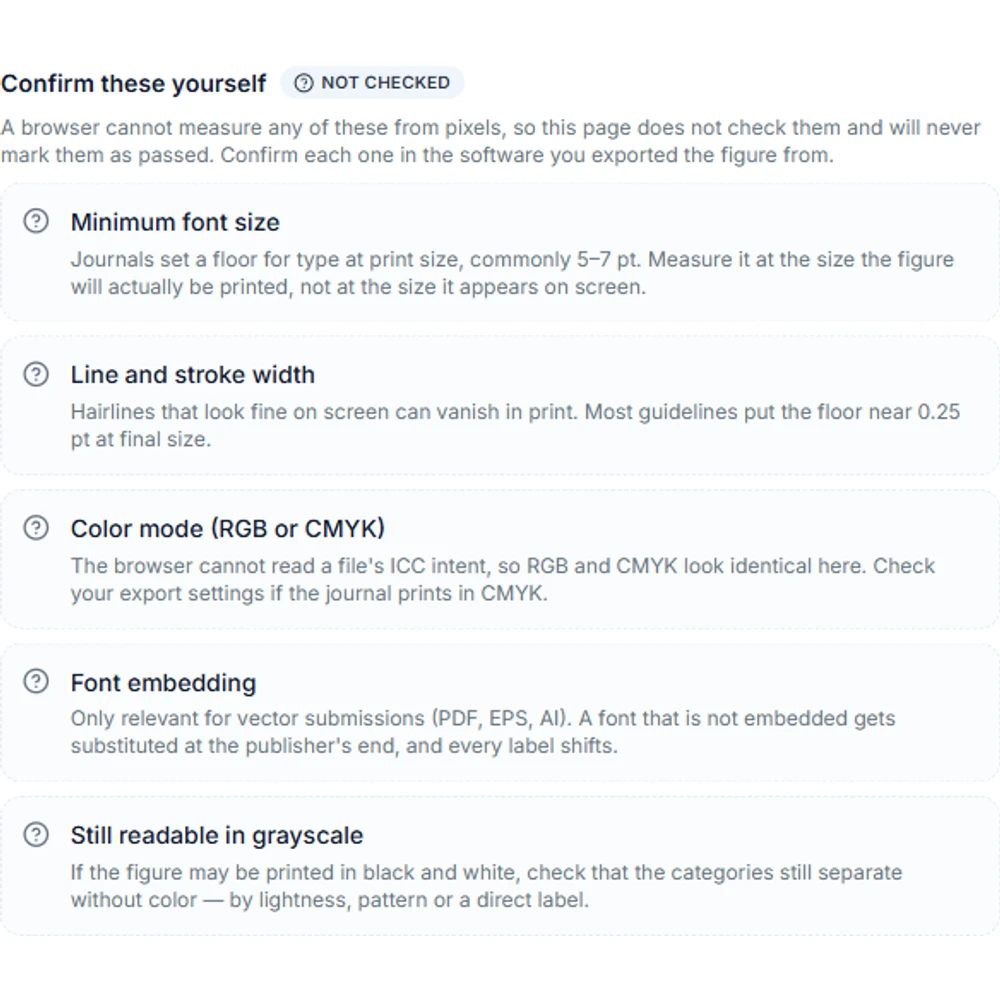
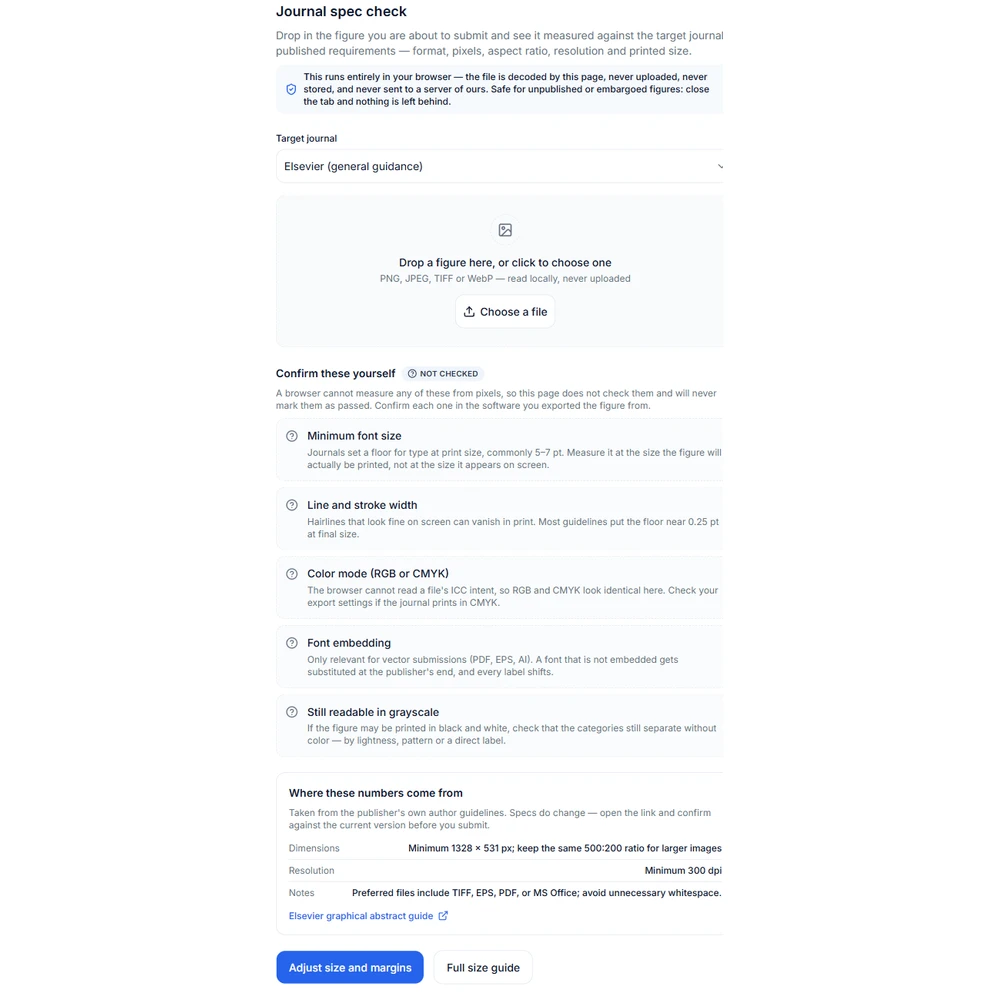
Confirm-by-hand group listing font size, stroke width, color mode, font embedding and grayscale print2

What it cannot measure, and says so

A raster image does not carry the information some submission rules need, so those rules are listed in a separate confirm-by-hand group instead of being marked green. Nothing in that group has been evaluated. Reading a green report as though it had cleared them is the one way this tool could send a figure to a desk reject with the author believing it had been checked.

  • Minimum font size — needs text recognition plus a physical conversion
  • Stroke width — the same problem, measured against the printed width
  • CMYK or color intent — the browser cannot read ICC rendering intent
  • Font embedding — a property of PDF and EPS artwork, not of pixels
  • Whether categories stay distinguishable after a grayscale print
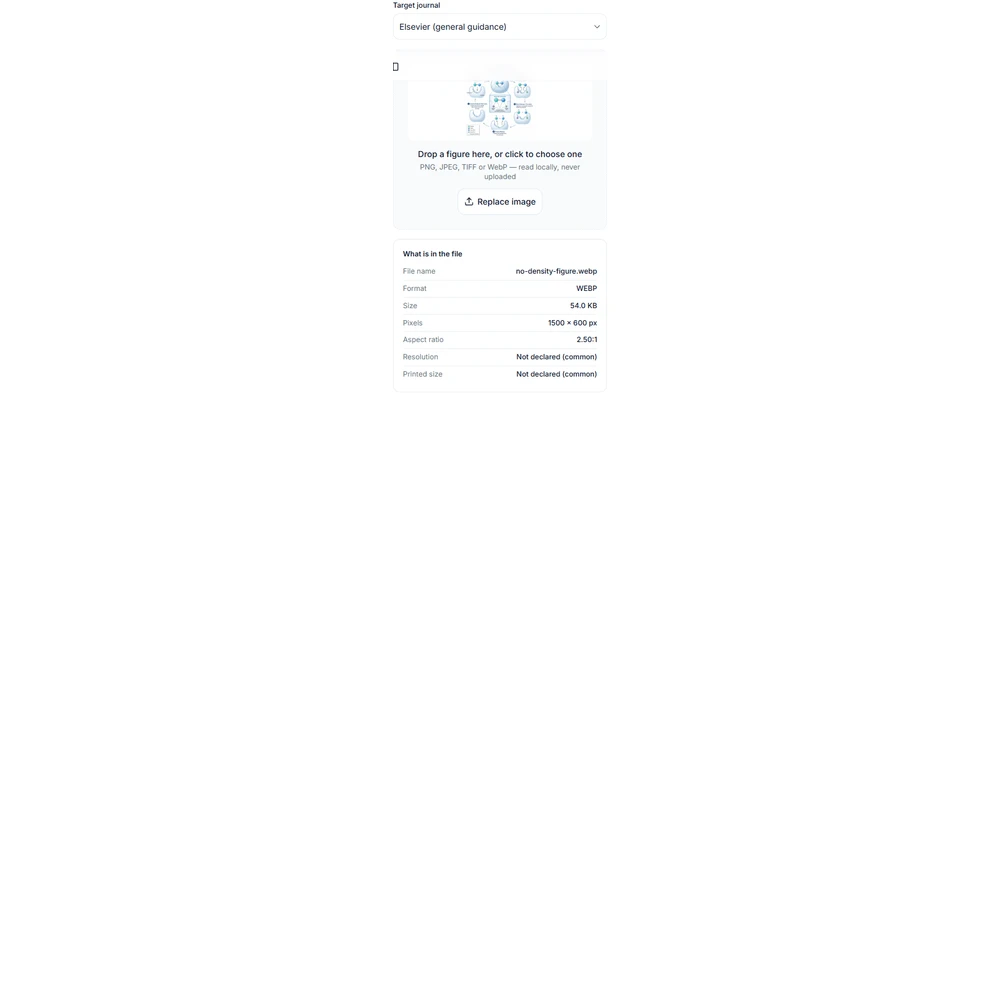
Measured facts panel showing format, file size, pixel dimensions, aspect ratio and declared dpi3

A missing resolution is not a broken figure

Plenty of export paths never write a density tag, so the report often shows no declared dpi. That is a warning, not a failure, and it says nothing about whether the pixels are good enough. What decides print quality is pixel width divided by printed width in inches. A figure with no declared dpi and a generous pixel width is usually fine; one that declares 300 dpi but has few pixels is not. When a journal asks for a density value, set it in your export tool and check again.

  • Confirm dimensions, file format, and resolution
  • Review the target venue's AI-use policy
  • Complete a final expert review before use
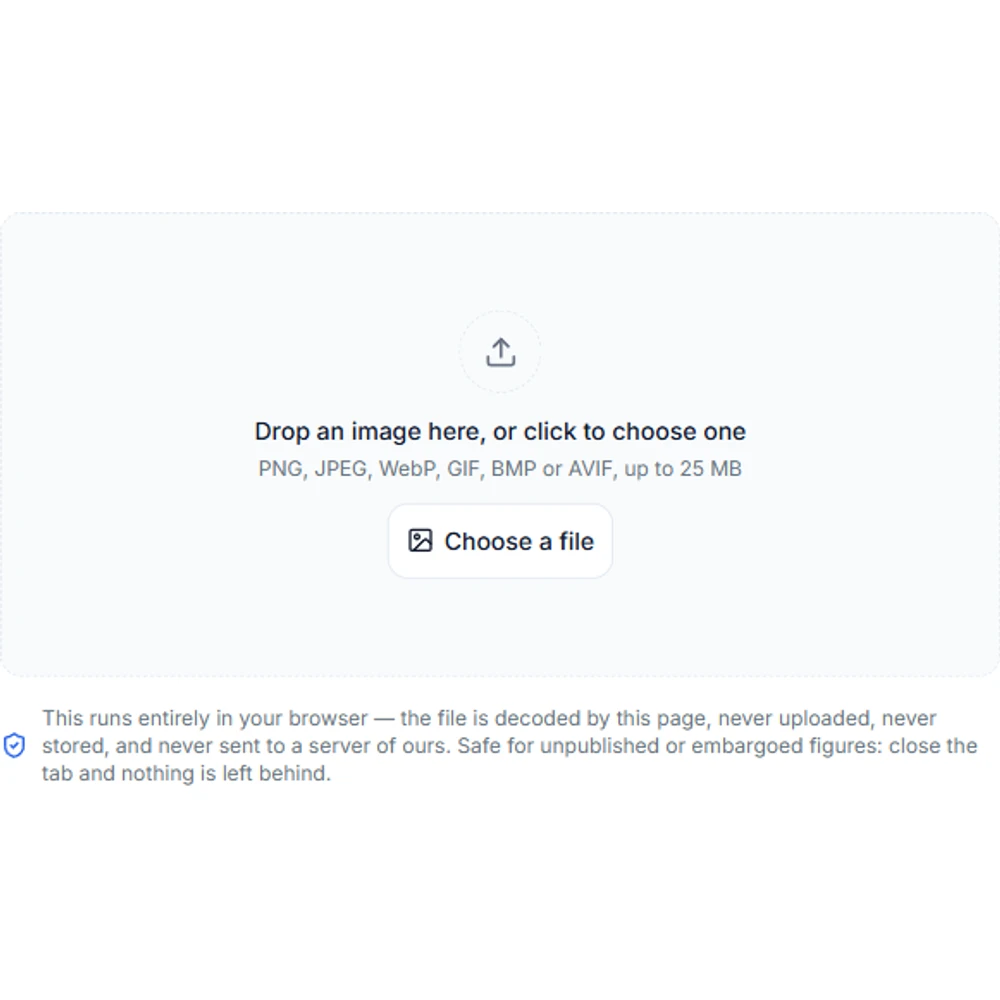
Figure spec check upload panel with a drop zone and a note that the file stays in the browser4

Where the journal numbers come from

Each profile is derived from the publisher requirements table on the graphical abstract size guide, which carries the official source link for every row. This page deliberately keeps no second copy of those numbers — a spec checker quietly enforcing last year’s rule is worse than none. Open the guide to read the requirement in the publisher’s own wording, and follow the source link before you rely on it.

  • Profiles are generated from the guide table, not typed in twice
  • Every report links back to the publisher source for the selected profile
  • A profile whose source row changes is dropped rather than guessed at

A pre-submission cross-check, not the journal rulebook

This report compares one file with one stored profile. It cannot see the current author guidelines for your journal, its production requirements, the rules for your specific article type, or any instruction an editor has given you. Requirements are revised and they differ between journals from the same publisher. Treat the report as a cross-check to run before submission, and confirm every item against the official author guidelines for the journal you are submitting to.

Figure spec check questions

Run the check before you submit

The spec check above is free, needs no account, and keeps your file on your machine. Sign in when you want the AI tools that fix what it finds.